



Cancel or Change Leave
To update or change a previously approved request, follow these steps:
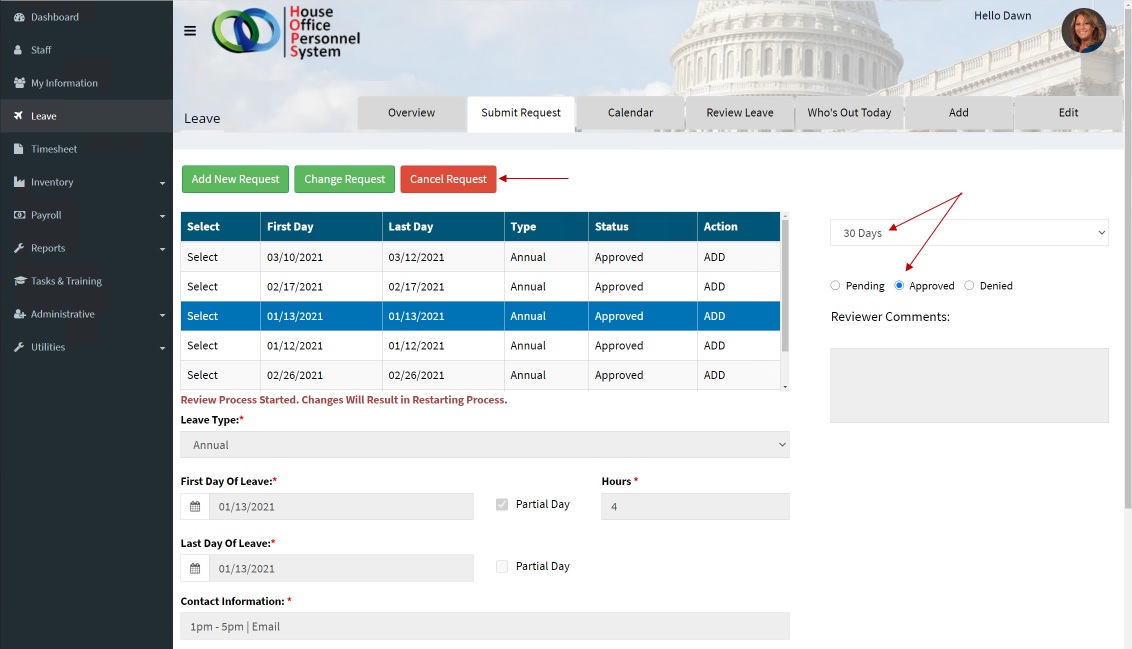
- From the ‘Submit Request’ tab, change the filter from the default ‘Pending’ to ‘Approved’. This will display the previously approved requests.
- ‘Select’ the request that you want to Change or Cancel.
- Click the ‘Change Request’, or ‘Cancel Request’ button depending on what action you want to perform.
- Update the information (if changing a request)
4. Click the ‘Submit’ button to initiate the change or cancellation of the request.
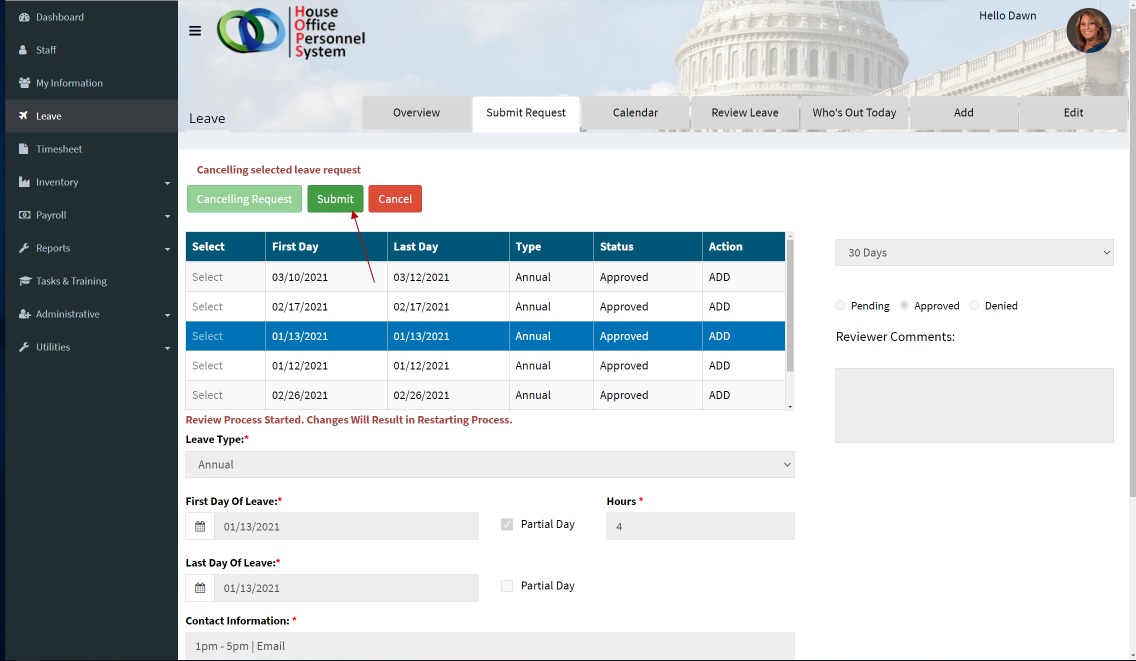
NOTE: The final reviewer will be notified and required to ‘Approve’ the request for change or cancellation. Once approved the leave entry (or entries) will be updated or removed depending on the requested action.